Enhancing Instruction with Web 2.0
'It's about taking what's already out there, what's free and available right now, and fitting it to match your needs.'
As technology professionals for the St. Johns County School District in Florida, David Futch and Charles Moseley understand the value--and scarcity--of instructional dollars. During their session at FETC 2010 last week in Orlando, FL, the pair conceded, "as the belt gets tighter, the need for creative solutions to instructional problems becomes increasingly critical." Enter Web 2.0.
According to Futch and Moseley, all it takes is a little time and ingenuity to begin integrating free and inexpensive tools into daily instruction, and "before long you're going to see an impact on both your students' learning and your bottom line."
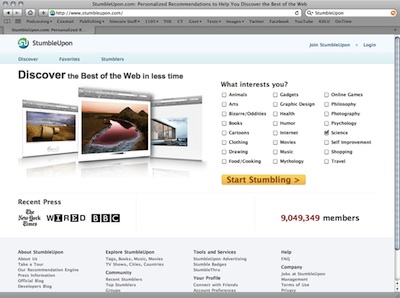
Bookmarking site StumbleUpon helps users find sites that cover topics they're interested in. |
Share and Share Alike
Some of the most useful tools out there, said Futch, are the ones that provide a platform to share information. Social bookmarking sites like Delicious, StumbleUpon, and Digg are a great way to share resources and find new and interesting bits information. "A Delicious account," he said, "gives you a way to share your bookmarks with your students," making it easy for them to access important class-related materials from anywhere.
Photo sharing sites like Flickr and Picasa add visual information to the mix, providing opportunities for students and teachers to connect through creative expression. Best of all, commented the pair, these sites continue to offer a range of benefits to their users, including free (or inexpensive) storage, the ability to sort and tag photos, as well as access to tens of thousands of user generated images.
Read, Write, Repeat
Blogs and wikis are another example of powerful Web 2.0 tools that can give educators significant bang for their buck.
"Blogs started Web 2.0 as we know it," said Futch, "and brought us into the era of the read/write Web."
Sites like WikiSpaces, EduBlogs, Bloglines, and Blogger are just a few examples of the resources available at little or no cost to educators, giving them the opportunity both to push information out to their students, and to create a collaborative learning environment where information is shared, edited, and refined by the larger group.
140 Characters of Useful
According to Futch, over the last few years few sites have had a bigger impact on social networking and information sharing than Twitter.
"Twitter," he said, "is a great way to push all sorts of information, from announcements to homework assignments to last minute notifications that might not be appropriate for other venues."
Of course, he added, the use of Twitter for instructional purposes also raises a range of policy and safety questions that many districts have yet to answer.
"Sometimes it becomes a question of breaking the rules to teach students." Are tools like this useful? Absolutely. Does that mean you should use them? "Well," he continued, "that's a much more complicated issue that needs to be addressed by the individual teacher."
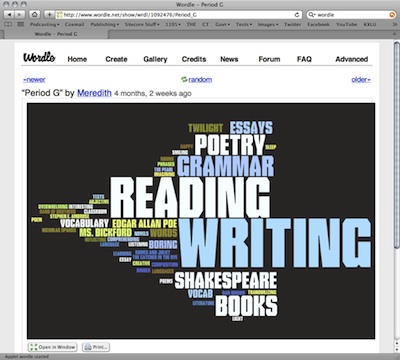
Wordle's word cloud generator can be used as an instructional tool in English and language arts classes. |
Don't Be Afraid To Get Creative
Closing out the session, Futch and Moseley reminded their audience not to be afraid to use the available tools in new and creative ways. It's not always about what it was originally built for, they insisted, but about what you can do to integrate it into your classroom to motivate your students and enhance their ability to learn.
Giving a final example, Futch demonstrated Wordle--a word cloud generator that creates a visual map based on the frequency of word use. "Something we've suggested to our English teachers," Futch said, "is to have students paste their papers into this tool and generate a report that shows them visually how many times they've used--or overused--a specific word." You'd be amazed, Moseley added, the difference having that information available in a visual way makes. "But that's precisely what Web 2.0 is about," said Futch. "It's about taking what's already out there, what's free and available right now, and fitting it to match your needs," not the other way around.
About the Author
Chris Riedel is a freelance writer based in Illinois. He can be reached here.