Doorway to Knowledge
##AUTHORSPLIT##<--->
A statewide Web portal is exciting Kansas students about technology’sability to help them ‘learn new stuff.’
TECHNOLOGY IN OUR DISTRICT has exploded! In grade school we began using a typing program to learn keyboarding. We also used educational applications to help us learn. In the past year and a half, we have begun to expandour technology to include the Internet and our school network.
Our district has begun to use a program on our network (Prolink) that allows our parents to see our grades and stay informed. It also allows the teachers to give us our grades more frequently—yay! But really, the program makes us more aware of how we’re doing day to day. We also have a school Web site that is put together by high school students and teachers.
In our classroom, we have learned how to use PowerPoint and Word to complete assignments. We learned a little Excel last week, which was a lot of fun. Our computer teacher, Mrs. Gould, asked us to design a spreadsheet for another teacher to use in her class. We learned how to move the columns and format the text. Someday this mightbe useful to know.
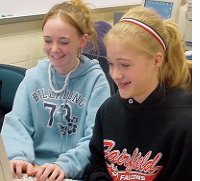
GIRL POWER: FairfieldMiddle School
friends andclassmates Allie Cochran(left)
and Lauren Robertstake a spin on Kportal.
We Love Our Web Portal
This year our district introduced us to the Empowered Desktop by Kan-ed (Kportal), a customized Web portal developed by LearningStation for the state of Kansas. There are so many uses for all the cool things offered on the site. We can do our homework and research in a fun and easy way. The site has games to help us with math, English, social studies, and other subjects. I never thought that any of my subjects could be fun, but Kportal showed me that they can be.
There’s a very helpful backpack on Kportal that allows me to save my work from any computer with Internet access. For instance, I recently had an assignment in my civics class where I had to find a lot of information. I saved it all on a floppy and brought it to school, but when I needed the information I couldn’t get it off the floppy. My teacher showed me how to save it on my backpack on the Empowered Desktop, and I went home and tried it. The next day I was able to get it out of the backpack from a computer at school. I was so happy!
My classmates and I have never liked doing homework or learning new stuff. Now that we use technology and the Internet, we can’t wait to start. The Empowered Desktop has helped make homework so easy to do, and best of all, I haven’t lost any more assignments due to bad floppies.
Using the computer has allowed me to organize my work by subject and see what I have, no matter where I am physically. I can store my work in case I need it later. In science, for example, we have been researching the human body. I can save all my material that I have collected and maybe use it for another biology class in high school. Technology just keeps getting better and better!
Allie Cochran is a seventh-grade student at Fairfield MiddleSchool in Langdon, KS. Her classmate Lauren Roberts helpedwith this article.