Veative Launches Educational VR Headset with Interactive Controller
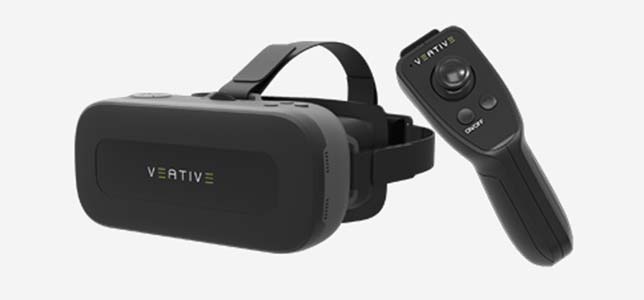
Veative Labs has launched Veative VR Learn, an all-in-one educational virtual reality (VR) headset with an interactive controller. The announcement was made at the ISTE (International Society for Technology in Education) conference in San Antonio, TX.
The
system includes a controller and built-in mobile device, so students
don't need a separate mobile device. The system also boasts "more than
just virtual tours" because students can use the controller and head
movements to explore and manipulate objects in the virtual world.
VR
Learn currently offers more than 500 content modules in biology,
chemistry, physics and math. The company expects to bring the number of
available modules to 700 by mid-2017 and 1,100 by the end of the year.
According to the company, the modules include 3D models, 360-degree
animations, simulations, virtual experiments, assessments and other
interactive activities.
The system also includes a classroom
management app for teachers. The app lets teachers install, uninstall
and launch VR modules remotely on students' devices, as well as
temporarily disable students' VR displays.
Other features of Veative VR Learn include:
- Support for adapting modules for any language;
- Compatibility with Google Cardboard;
- Content delivery app for adding, removing and organizing modules;
- Ability to download content from the online store or from a local (offline) content access point;
- Built-in student feedback and tracked assessment;
- Proprietary
analytics system for the offline version that stores results locally
and syncs with the server when an Internet connection becomes
available; and
- Proprietary reporting system for students, teachers and parents to view analytics, with support for sharing data with any LMS.
Veative
VR Learn and the VR modules are available on a subscription basis.
Packages can be bundled and customized, and all modules can be upgraded.
Further information about Veative VR Learn is available at booth 2346 at ISTE and on the Veative site.
About the Author
Leila Meyer is a technology writer based in British Columbia. She can be reached at [email protected].