Microsoft Intros Immersive Reader in Word for iPad, Other Accessibility Updates
Microsoft has introduced new updates to improve accessibility and inclusivity across a range of education tools.
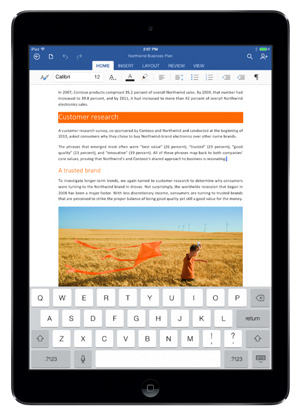
Word for iPad
The company is making Immersive Reader, which offers tools such as Read Aloud, Text Spacing and other features designed to help students with dyslexia, available via Word for iPad beginning next month. The company has also launched Read Aloud with Microsoft Edge, which allows students to "open any web page, PDF or ePub and have Microsoft Edge read the content aloud with word and line highlighting for focused reading," according to a news release.
The new updates are the result of partnerships "with diversity and inclusion officers, assistive technology coordinators and special educators," according to information released by the company. For example, new color filters in the Windows 10 Fall Creators update allow users to apply new color palettes to the screen to help people who have difficulty discerning some colors, such as red and green, see the information on their screens more easily. With the update, Windows 10 now offers filters in greyscale, invert, greyscale inverted, Deuteranopia, Protanopia or Tritanopia. According to a blog post about accessibility features in the latest update of Windows 10, since "this feature works at the system level, all installed software and third-party apps will follow the filter you set up."
Other new accessibility features coming in the fall update of Windows 10 include:
- A beta version of Eye Control, which allows users to operate an on-screen mouse, keyboard and text-to-speech tool via an eye-tracking device;
- Updates to Dictation on the Desktop that allow users to input text, perform basic editing or input punctuation using voice commands;
- An update to Narrator that uses Microsoft Cognitive Services to create brief descriptions of images that lack alt text; and
- An improvement to Learning Tools, a feature designed to help people with dyslexia read more easily, that expands it to other languages.
For more detailed information on the accessibility features new to Windows 0 this fall, visit blogs.msdn.microsoft.com.
In related news, the company also published research into the efficacy of its Learning Tools. For more information on that research, or to read the full report, go to educationblog.microsoft.com.
About the Author
Joshua Bolkan is contributing editor for Campus Technology, THE Journal and STEAM Universe. He can be reached at [email protected].