Cheap and Free 2D and 3D Fabrication Tools
- By Ellen Zimmerman
- 05/27/14
 3D fabricators are an exciting new technology, but students can also get the experience of creating three-dimensional objects using two-dimensional cutters. Two-dimensional cutters are those nifty, artsy-craftsy tools that scrapbooking people use to create those really awesome, totally-time consuming, decorative photo albums we all would love but don't have time to do ourselves! The cutter cuts out shapes with a moving blade using a motion like a printer. The blade is protected and retracts into a casing when it is not in use. It can also create fold lines that are not cut all of the way through.
How do 2D cutters relate to education? They provide students with the opportunity to create 3D objects from flat, 2D media. Think of math classes where you have a “net” or “unfolded” shape such as a cube or a pyramid. These often appear on standardized tests, where students have to visualize what flat shapes will look like folded or what the folded version will look like flat.
In elementary grades, 2D projects can involve students creating small towns by coloring and creating buildings from pre-cut mats. Middle school and high school students can make their own patterns using software such as Silhouette. For instance, students can create a windmill or a water diversion “Y” to satisfy project requirements. Having students create the patterns requires them to consider proportions and angles as they create, print and test their designs. The use of 2D cutters has great possibilities for education and the improvement of spatial reasoning skills. According to the Society for Engineering, personal fabrication can change engineering. Exposure to three-dimensional skills can be the turning point for the development of spatial reasoning that encourages a student to pursue a science, technology, engineering or math program.
If you're thinking that your school doesn’t have the funding for such a tool, you may be surprised to know that you can purchase a 2D cutter for a price similar to that of many standard printers. Not only is the device affordable, but the cost of supplies or media is minimal The cutters can use several different media, including paper or even cloth, but I find that the best media is 24# paper. The patterns you may want for education use may not be available on the 2D cutter sites, but the Silhouette software has the option to trace a pattern that comes in very handy for creating math nets.
3D Fabricators and Software
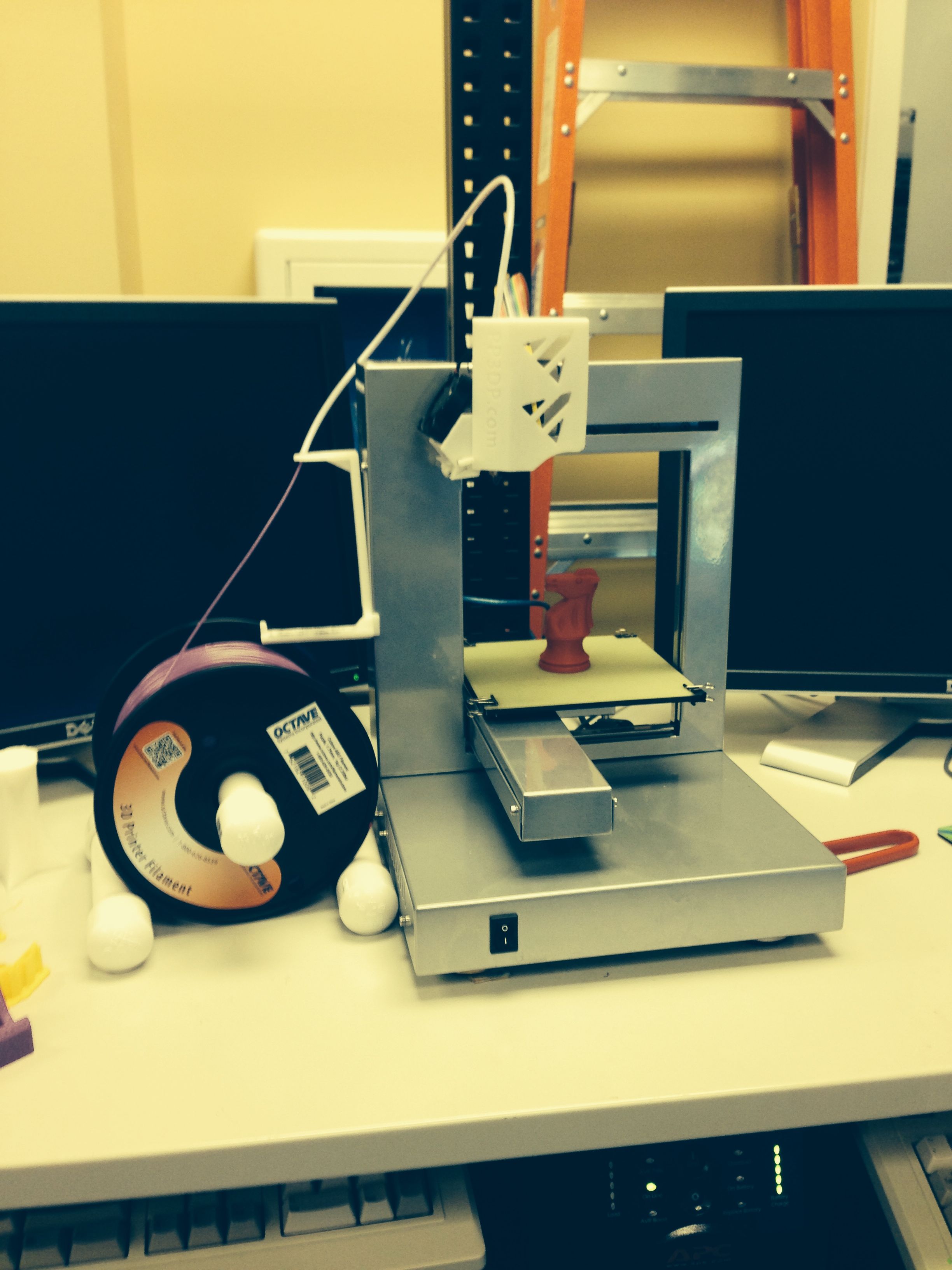
Meanwhile, 3D fabricators are also becoming quite accessible as their prices decrease to accommodate home use. You can now find a 3D printer that can be used for education that costs as little as $1,000. These digital fabricators are typically a three-sided box shape with a platform in the middle where the objects gets created. (See image.) They have a nozzle that distributes the media to create an object from the base up. The media you select depends on what you are creating. There are even options to build with cheese or chocolate!
Software for creating objects includes Blender and Google Sketchup, which are both free. More and more options printers and software are becoming available as more people become aware of 3D fabricating. You can find some basic info about 3D fabricating as well as a list of software options here.