McGraw-Hill Education Revamps ALEKS Adaptive Learning Platform
McGraw-Hill Education is revamping its ALEKS adaptive learning system, introducing a new interface designed for tablets as well as a redesigned learning experience for students.
According to the company, the new version of ALEKS is based on "extensive ethnographic research observing the different behavior patterns exhibited by students and instructors while using the adaptive technology. The student experience has been completely redesigned based on a deep understanding of five distinctive student archetypes, categorized by varying degrees of learning confidence and social behavioral patterns."
"By adapting our technology to suit the mobile consumption habits of today's students, we're meeting them where they are and providing a more personalized and flexible learning environment so they can accomplish better learning outcomes," said Peter Cohen, U.S. education group president at McGraw-Hill Education, in a press release.
Features include:
- Tablet-friendly interface with easier, faster navigation;
- Progress pie chart, with visual cues to depict a student's mastery of the course;
- Topics carousel, allowing students to navigate between topics of study;
- Student reports, providing progress data and giving students greater visibility into and ownership of their learning;
- Timeline view, aligning a student's progress against the instructor's pre-determined learning objectives; and
- Personalized celebrations, which encourage student to master more topics and attain learning momentum.
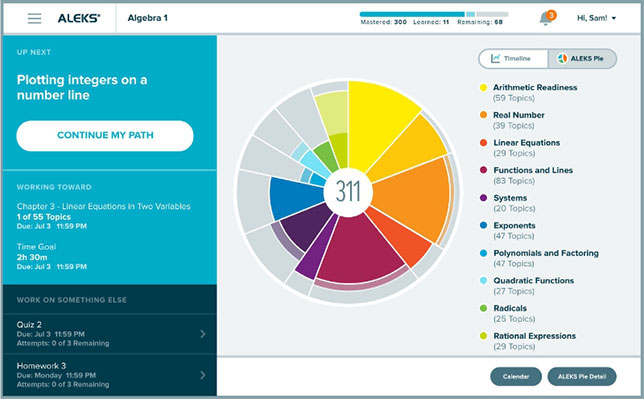
ALEKS' progress pie chart (PRNewsFoto/McGraw-Hill Education)
The new ALEKS interface will be officially released to existing users on June 1; a free trial version is available now. For more information, visit the ALEKS site.
About the Author
Rhea Kelly is editor in chief for Campus Technology, THE Journal, and Spaces4Learning. She can be reached at [email protected].