5 Ways To Enhance Instruction with Digital Narratives
Tech vets go toe-to-toe on the latest tools that can improve instruction, boost productivity, or just help make users' lives a bit more organized.
Over the last decade, advances in technology have made dreams of ubiquitous access to digital media a reality, both on the Web and off. From inexpensive cameras to iPods to cell phones to integrated Webcams, capturing, editing, and sharing digital audio and video has become push-button easy. And that, according to University of Central Florida (UCF) professors Robert Kenny and Glenda Gunter, is good news for educators.
During their workshop session at the FETC 2010 conference earlier this month, Kenny and Gunter focused on how this relatively newfound ease for making and sharing audio and video information has opened up a world of possibilities for creating "digital narratives." According to Gunter and Kenny, this form of interactive storytelling can be used to enhance instruction by promoting strong communication skills while engaging students in new and exciting ways.
The pair offered several tips for effectively integrating these media-based digital narratives into the curriculum.
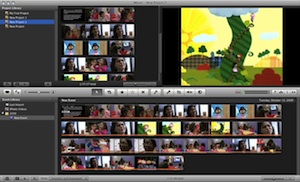
Apple's iMovie, part of the iLife suite included free with Mac OS X. |
1. Leverage Multiple Tools: Kenny and Gunter talked at length about the benefits of using more than a single product to create compelling stories. With cost a major consideration, the kinds of software teachers can offer their classes is often limited. Kenny conceded that "many of the most used applications don't provide all of the tools you might be looking for," making it important to leverage the best components from more than one application. Video and presentation titles offered up by Kenny and Gunter included Apple's iMovie and Keynote; Microsoft's Photo Story 3, Movie Maker, and PowerPoint; and Animoto Productions' Animoto, an online, cross-platform tool (also available as an iPhone app) for turning still images into video presentations with audio.
2. Make Nice With School IT Pros: Getting the most from digital assets takes time, said Gunter, but it can also take skilled maneuvering of administrative channels. Every school has different policies on how to deal with third-party software, external media, peripheral devices, and the like. Getting technology facilitators and media specialists in your corner, she insisted, makes it easier to implement lessons plans that make significant use of your school's IT resources.
3. Develop a Library of Assets: According to Kenny and Gunter, gathering the necessary materials to create a digital story--images, audio clips, b-roll video--can take more time than creating the actual project itself. One way to maximize classroom time is to create a pre-selected set of resources students can choose from when creating their stories.
"Not only does this speed up the search process," said Gunter, "but it also eliminates the need to approve every student's selection before production can begin."
4. Implement a Workflow: According Kenny, creating digital files can be a bloated process. That's why it's important to understand how the programs you decide to use work, where files are stored by default, what their file type requirements are, and how to make modifications to those files when needed.
Gunter and Kenny suggest developing a scalable process that translates well from one computer to another so time isn't wasted trying to get things working when students switch machines.
"I have them put everything in a folder on the desktop and work from there," Kenny said. "That way, they can use a thumb drive to move the files from one computer to another, and everything just works."
5. Set Goals, Create a Plan: Digital narrative, said Gunter and Kenny, isn't just about slapping together files that tell a story.
"It's about getting students to look at storytelling in a new way," to consider new implications to the ways they choose to communicate. "There are all kinds of benefits to this," said Kenny, including increased reading comprehension, enhanced logical reasoning skills, and a greater understanding of the creative process. That's why, he continued, it's important to think about what you are trying to accomplish before you get started, and then build those goals into your plan.
About the Author
Chris Riedel is a freelance writer based in Illinois. He can be reached here.