LG Launches Interactive Classroom Displays

LG Business Solutions has launched a new series of interactive classroom displays, the TR3DJ series, available in sizes up to 86 inches.

The new displays are designed for broad compatibility and come with Android 8.0 installed. According to LG, “The TR3DJ series displays are designed to support virtually any application, content management system, learning platform or online conferencing solution that a school uses to engage students in-class and remotely.”
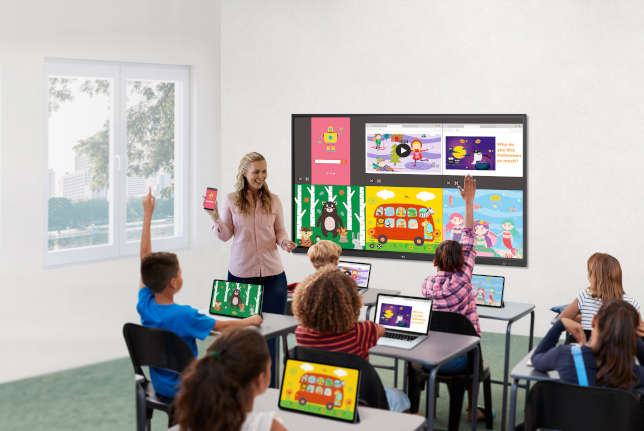
LG Launches Interactive Classroom Displays

There are currently three models in the TR3DJ series — the 65-inch 65TR3DJ-B, 75-inch 75TR3DJ-B and 86-inch 86TR3DJ-B — each with virtually identical specs, including:

  • 3,840 x 2,160 (4K/UHD) resolution;

  • 1,100-to-1 contract ratio;

  • 350 cd/m² brightness, except for the 86-inch model, which is listed at 330 cd/m²;

  • 178-degree vertical and horizontal viewing angle;

  • 16:9 aspect ratio;

  • 8ms response time;

  • IR Multi touch point (maximum 20 points/maximum 10 writing);

  • Dual pen and dual color;

  • VESA mount compatibility;

  • Dual 12W speakers;

All of the models also offer:

  • OPS (Open Pluggable Specification) slot for adding a computer module;

  • Bluetooth support;

  • ScreenShare Pro (for showing up to six screen simultaneously);

  • AirClass, with support for up to 30 students (polling, Q&As and messaging).

Connectivity includes three HDMI in ports, one HDMI out port, optical out, RGB, RS-232c, audio in/out, six USB 2.0 ports and three USB 3.0 ports. The models also offer USB Block Mode to “prevent copying data to unauthorized devices.”

The displays come with a three-year warranty, “with extended five-year coverage available through select LG dealers serving the education market.” Further details can be found at lg.com.

About the Author

David Nagel is the former editorial director of 1105 Media's Education Group and editor-in-chief of THE Journal, STEAM Universe, and Spaces4Learning. A 30-year publishing veteran, Nagel has led or contributed to dozens of technology, art, marketing, media, and business publications.

He can be reached at [email protected]. You can also connect with him on LinkedIn at https://www.linkedin.com/in/davidrnagel/ .


Featured

  • elementary schoolchildren using digital tablet in classroom

    CoSN: 3 Principles that Should Guide Screen Time Policies in Schools

    CoSN, the professional association for K-12 education technology leaders, has released new guidance to help schools navigate the screen time debate and develop technology policies that protect students while supporting learning.

  • Students using laptops in classroom

    Stop Asking Whether Students Can Use AI

    As generative AI has become embedded in the tools students use to search, write, create, translate, organize, and receive feedback, the boundary between "using AI" and "not using AI" has become increasingly difficult to define. More importantly, treating AI use as a binary choice does little to help students understand the different roles AI can appropriately play in learning.

  • Girl playing video games

    5 Lessons Video Game Designers Can Teach Educators About Learning

    Video game designers spend an enormous amount of time studying what keeps people engaged when something becomes difficult. They have become very good at helping people persist. Schools should pay attention.

  • education funding and graduation symbols on wooden dice

    What Is the Education Freedom Tax Credit and How Will It Work?

    The federal Education Freedom Tax Credit (EFTC) is a new source of funding for education that could benefit 90% of students in states that have opted in to the program. However, some confusion and misconceptions exist surrounding details of the program, including which programs may qualify, how parents can apply for scholarships, and how public school students can benefit.