Livescribe Launches Teacher Resource Portal
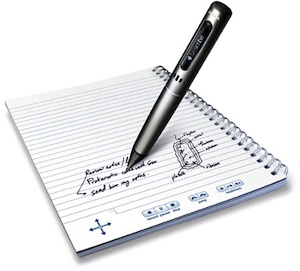
The Livescribe Pulse smart pen captures audio and notes, which can be saved to a computer (Mac OS X or Windows) or reviewed through the pens headphone jack.
The Livescribe Pulse smart pen captures audio and notes, which can be saved to a computer (Mac OS X or Windows) or reviewed through the pen's headphone jack.

Ed tech provider Livescribe has launched a new resource portal for K-12 to support instructors using interactive pens in the classroom.

Called Livescribe Education, the site offers free instructional resources and training materials for faculty who want to use interactive pens, or smart pens, in their teaching. Livescribe's smart pens allow users to capture writing, drawings, and audio, such as lecture notes, diagrams, and the accompanying verbal lecture. Audio can be recalled at a specific point in the note-taking process, synchronizing with instructor- or student-created classroom notes, using either Livescribe's desktop software or the pen itself, which can detect when a user taps at a specific part of his or her notes on a piece of paper and then play back the part of the lecture that corresponds with that section. (The synchronized audio and notes are called "pencasts.")

Resources on the site include:

  • Instructor-submitted videos demonstrating how they use interactive pens in the classroom;
  • Teacher-contributed articles on smart pen use;
  • Tips and how-tos for "pencasting";
  • Training videos and Webinars; and
  • A range of subject-specific instructional resources, including math, English/language arts, science, and foreign languages.

The Livescribe Education portal is live now. Further details can be found here.

About the Author

David Nagel is the former editorial director of 1105 Media's Education Group and editor-in-chief of THE Journal, STEAM Universe, and Spaces4Learning. A 30-year publishing veteran, Nagel has led or contributed to dozens of technology, art, marketing, media, and business publications.

He can be reached at [email protected]. You can also connect with him on LinkedIn at https://www.linkedin.com/in/davidrnagel/ .


Featured

  • Double exposure image of coin stacks on technology financial graph background

    The Budget Cut that Changes Everything in K-12

    ESSER funding, the post-COVID lifeline that enabled many districts to invest in data collection and research, is coming to an end. For districts that relied on those dollars to conduct surveys and gather community feedback, the impact is significant.

  • abstract cybersecurity data protection

    Rubrik Announces Google Workspace Data Protection

    Rubrik has introduced Rubrik Data Protection for Google Workspace, a product the company said is designed to help enterprise customers protect data and restore operations across Google Workspace environments.

  • glowing icons over a stack of books

    Project to Boost Literacy through Data-Guided Practice

    The University of Iowa's Iowa Reading Research Center (IRRC) and the Wyoming Department of Education (WDE) have partnered with Foundations in Learning on literacy support for rural students in grades 3-5.

  • digital data protection and cyber security

    White House Issues New AI Security Framework

    President Donald Trump has launched a new executive order aimed at maintaining United States AI leadership while addressing the security risks posed by increasingly powerful AI systems.